Digitizing Public Welfare Administration.
Moving paper-based welfare schemes online with citizen and caseworker portals, supported by custom design system tooling.
Administering public welfare in India traditionally involved physical paper forms, in-person verification queues, and regional administrative offices. At Omara, I led product design to move this process online: designing an accessible application portal for citizens, an adjudication queue for caseworkers, and custom tools to maintain our design system.
- ORGANIZATION
- Omara Technologies
- MY ROLE
- Product Designer & Tooling Engineer
- COMPLIANCE STANDARD
- GIGW & WCAG 2.1 AAA
- CORE SCOPE
- Citizen Intake, Caseworker Review, Figma Tooling
Moving welfare administration from paper folders to connected portals.
Welfare schemes often rely on paper forms submitted at local district offices. For citizens, this meant long travel times, uncertain timelines, and return trips if a document was missing. For officers, it meant managing backlogs of physical folders. We built this platform to connect both sides: giving citizens clear tracking on their phones and caseworkers a digital triage queue.
Online Application
Citizens fill out intuitive forms and upload photos or scans of their proofs from their phones, guided by clear document guidelines.
Officer Triage Queue
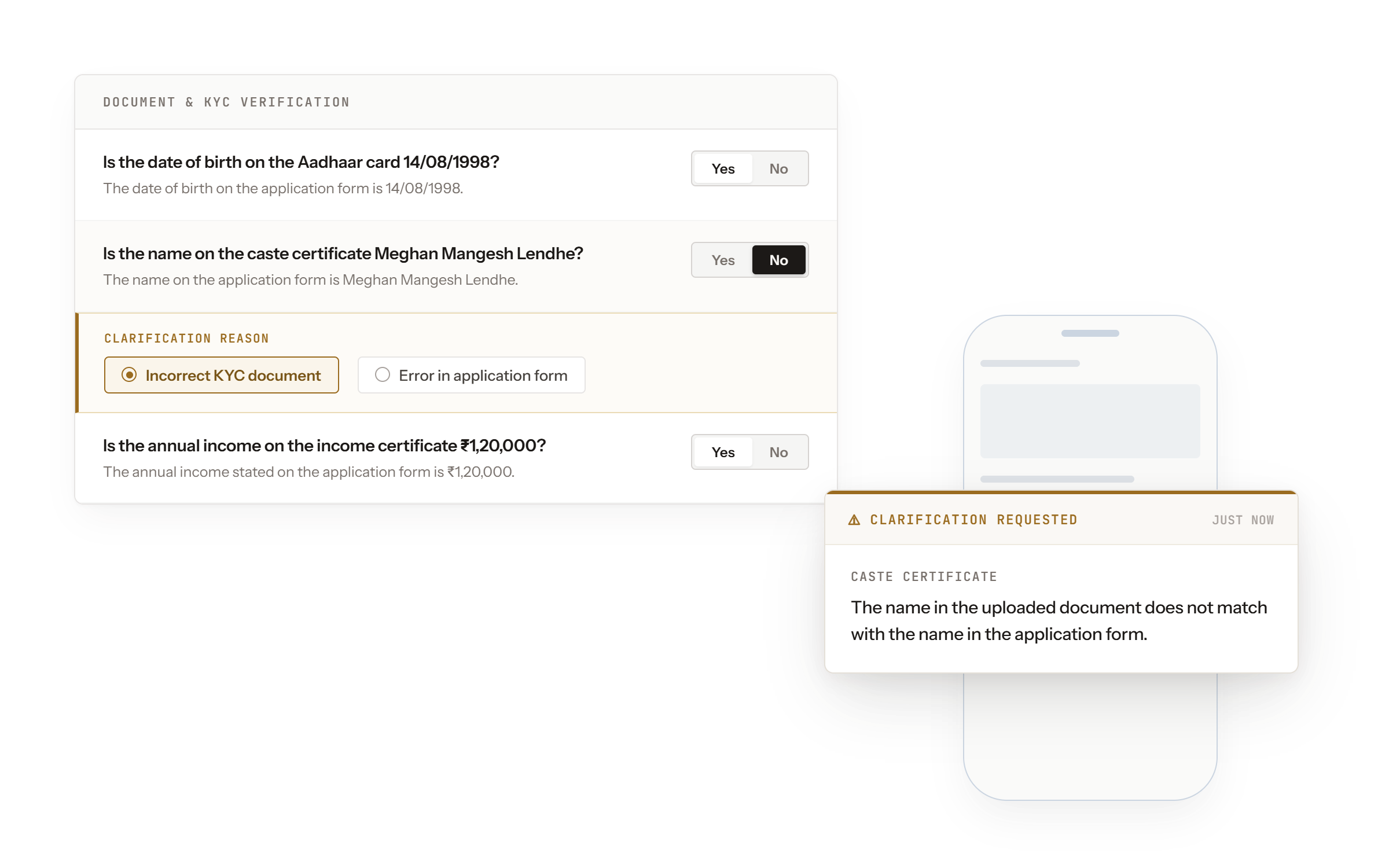
Caseworkers review applications in an organized digital queue, cross-referencing applicant statements with uploaded certificates on one screen.
Targeted Follow-Up
If a document is blurred or incomplete, the officer flags the specific gap and the citizen uploads the correct document directly, avoiding repeat office visits.
Streamlining document verification for public benefits.
Qualifying for social benefits requires proving eligibility: household income limits, identity records, and active bank accounts for Direct Benefit Transfer (DBT). Offline, this required gazetted attestations and in-person visits. We designed structured verification steps that confirm eligibility quickly while keeping the interface clear for first-time internet users.
Identity & Demographics
Straightforward document upload and basic identity validation to confirm applicant details without requiring physical visits to regional offices.
Bank Account Validation
Direct verification of account numbers and IFSC details to ensure educational grants and social security pensions reach the correct beneficiary via Direct Benefit Transfer (DBT).
Official Certificates
Standardized intake formats for regional documents (caste certificates, income declarations, and disability proofs) with full-resolution previews for reviewing officers.
Building reusable patterns across diverse state programs.
Working across different state departments meant continually encountering new requirements, from rural land records to multi-generational family structures. Rather than building custom forms for each scheme, I cataloged recurring patterns and turned them into reusable components. As each new scheme launched, the system grew more capable without having to reinvent core building blocks.
Land & Property Ledgers
Modular parcel hierarchy selectors (Survey/Khasra numbers, Sub-division, and Village mapping) adaptable across diverse state cadastral systems and joint titleholder formats.
Family & Household Structures
Dynamic demographic components supporting joint household relationships, dependent tracking, and guardian verifications across family welfare schemes.
GIGW & Linguistic Inclusivity
Color tokens and typographic scales built strictly to GIGW standards and WCAG 2.1 AAA contrast, tested to handle script expansion across multiple Indic languages.
Automating design QA and generating prototypes from specs.
Public welfare platforms involve hundreds of form states, validations, and accessibility standards. To keep our work consistent and avoid manual wiring, I built two custom automation tools using Figma's APIs.
Figma Component Auditor
A custom plugin that checks component libraries against our design tokens, autolayout rules, and GIGW color contrast standards. It flags inconsistencies, applies corrections, and syncs updated component specs directly to Notion for developer handoff.
Notion-to-Figma Prototype Generator
A script that reads structured user flows and form schemas from Notion and automatically generates token-accurate, connected Figma frames. This cut out hours of manual frame-by-frame linking for repetitive multi-step forms.