Simplifying legal compliance so new merchants can get approved and start selling quickly.
In a 36-hour sprint, I designed an adaptive onboarding flow for marketplace sellers navigating multi-state tax and entity requirements. The flow asks only for what is required for each business structure, supports multi-session document uploads, and was validated using an interactive prototype built with AI assistance.
MY ROLE
Product & Interaction Designer
DELIVERABLES
Compliance Architecture & AI-Generated Prototype
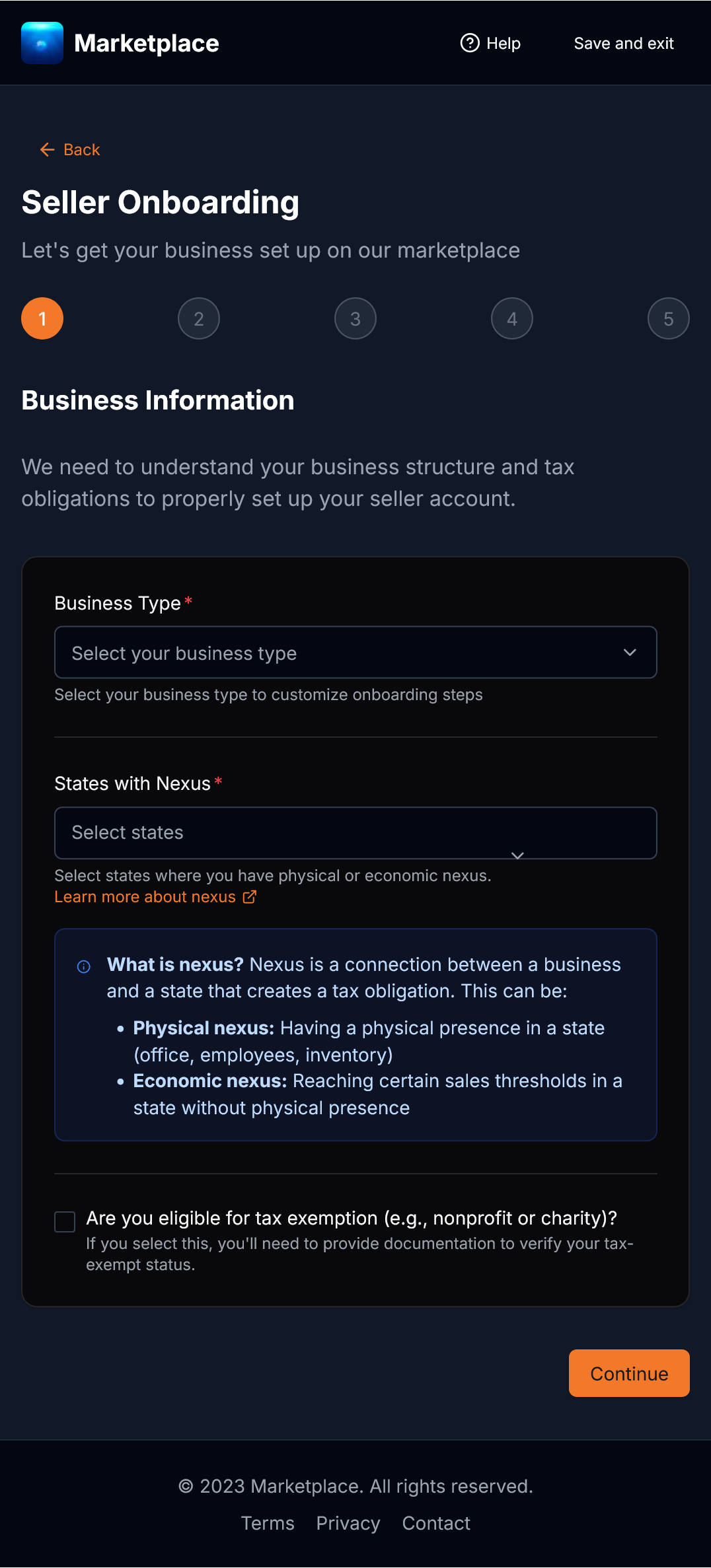
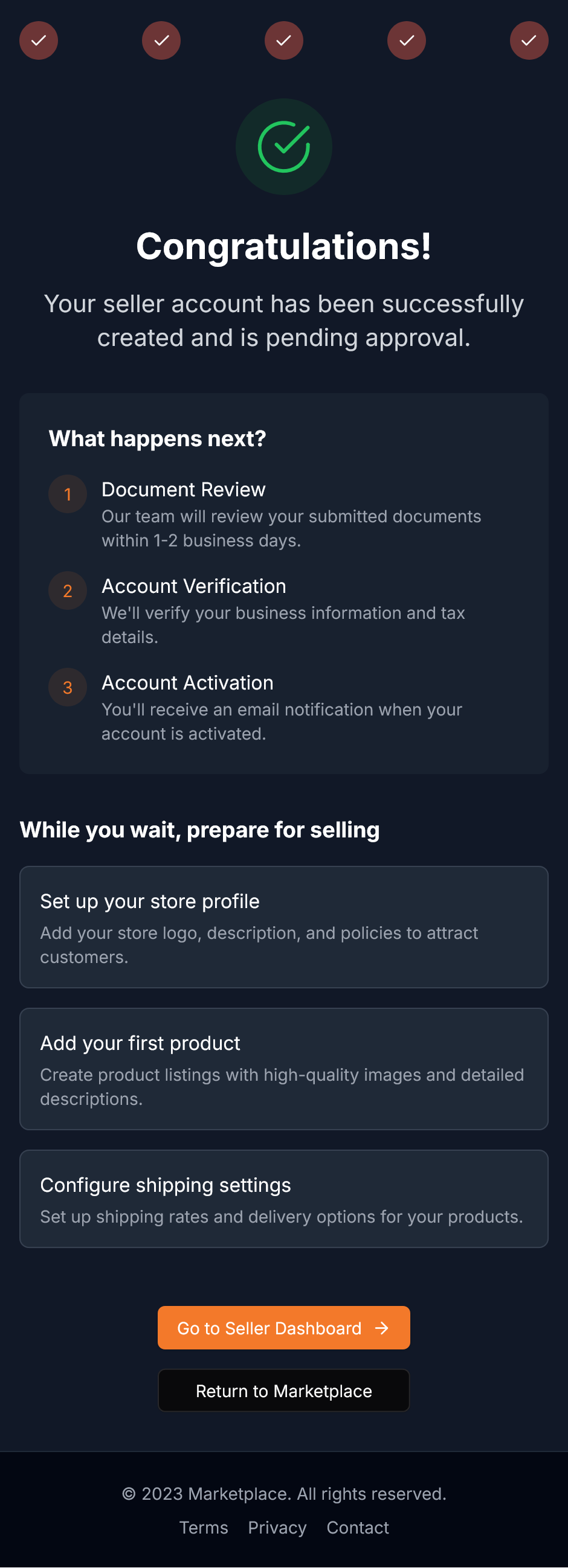
The 3-stage adaptive onboarding progression: business entity classification, dynamic document readiness checklist, and live account activation.
01 / The Compliance Problem
Different businesses carry different legal requirements.
A sole proprietor selling crafts from home has very different compliance requirements than an LLC with warehouse inventory across multiple states. When an onboarding flow attempts to cover both with a single rigid questionnaire, solo sellers get overwhelmed by corporate tax schedules, while larger businesses struggle to clarify physical versus economic nexus obligations.
02 / The Adaptive Flow
STEP 01
Classifying business structure upfront
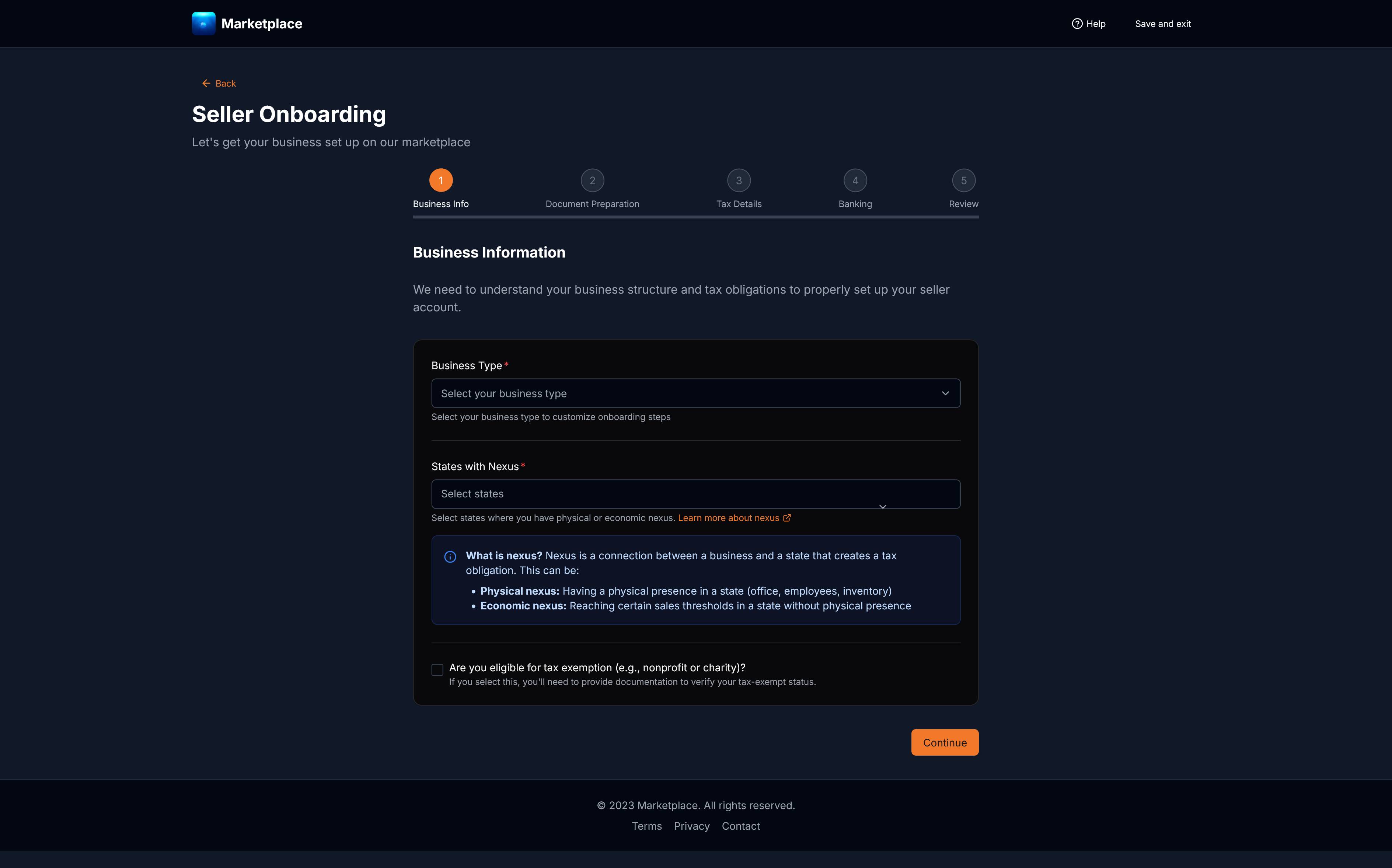
By asking for the seller's legal structure first (sole proprietorship, LLC, or corporation), the flow hides irrelevant tax schedules immediately. A solo merchant never sees questions meant for a corporation.
marketplace.com/seller-onboarding/entity-type
Clear entity radio cards with inline explanations of required documentation allow merchants to self-identify accurately.
STEP 02
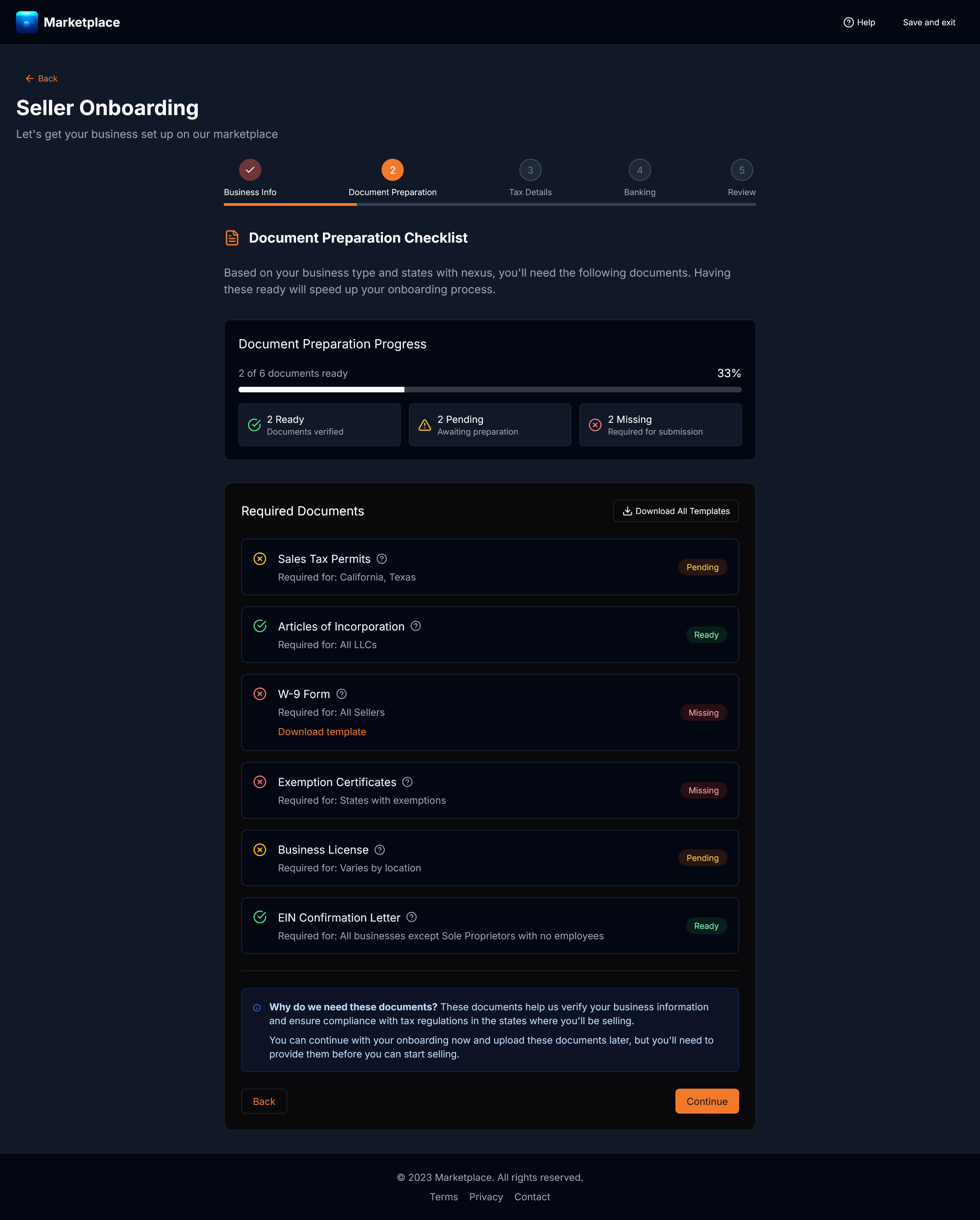
A document checklist built for multiple sessions
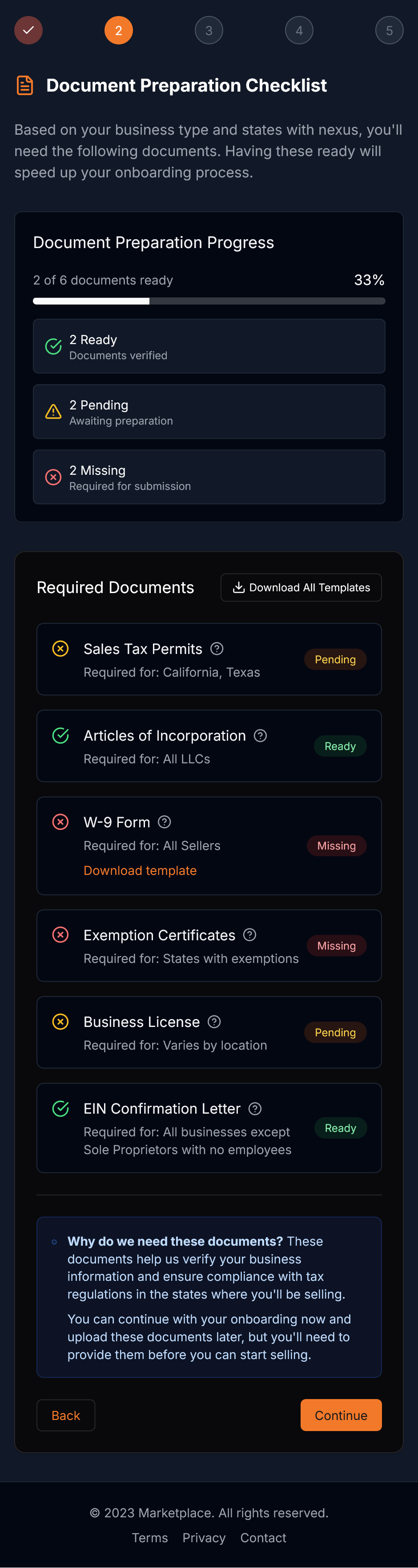
Merchants rarely have every resale certificate or tax document ready at once. A dynamic checklist outlines exactly what is needed, shows current status (Ready, Pending, Missing), and allows merchants to save their progress and return later without starting over.
marketplace.com/seller-onboarding/documents
The adaptive document readiness checklist tracks real-time validation status (Ready, Pending, Missing) and supports multi-session completion.
STEP 03
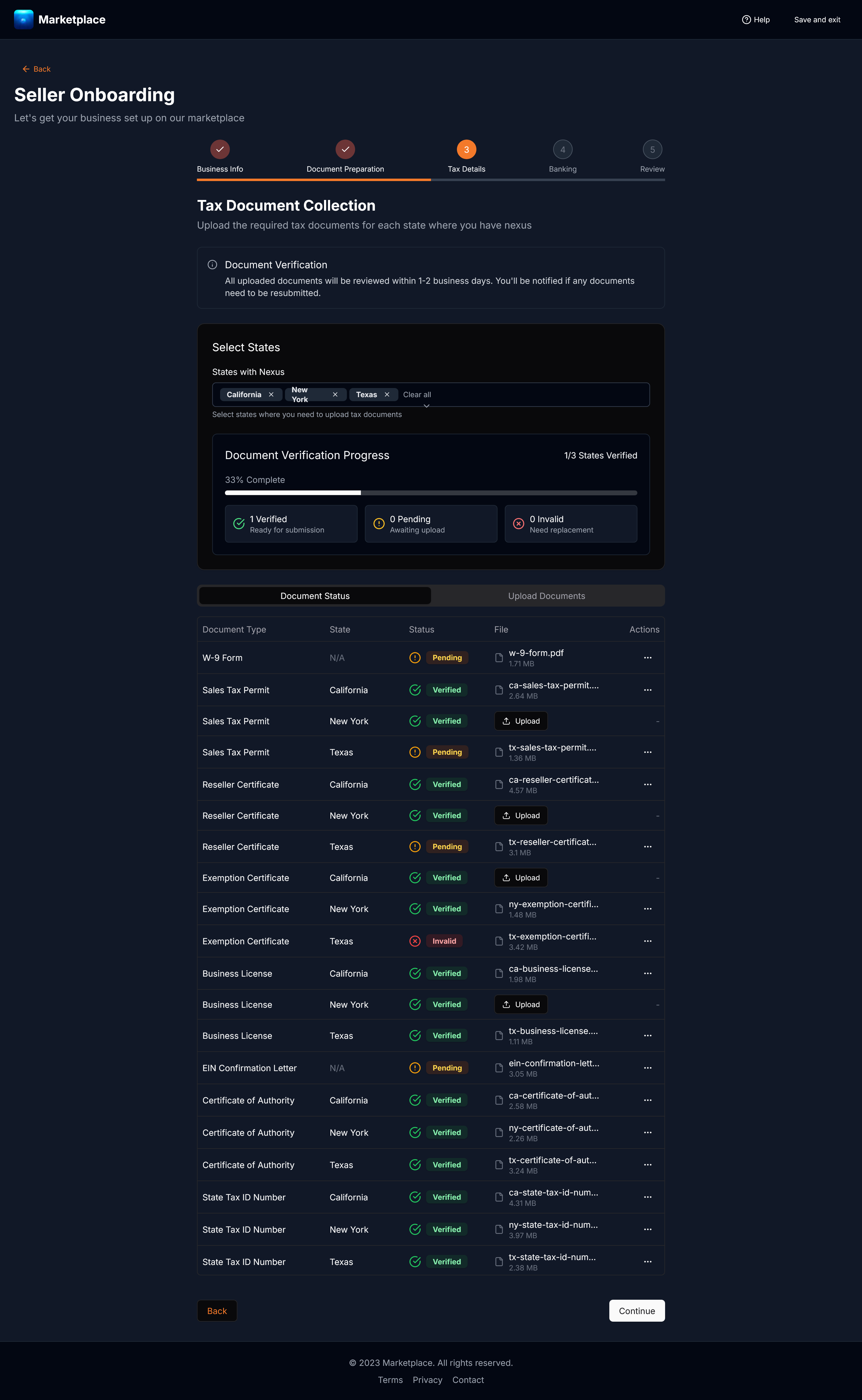
Catching errors before submission
Tax IDs and bank routing numbers are validated inline as the merchant types. If a digit is missing or formatted incorrectly, clear guidance appears immediately, preventing days of delay caused by a rejected submission.
marketplace.com/seller-onboarding/tax-nexus
Inline field validation catches formatting errors and syntax mistakes as sellers type, preventing downstream application rejection.
STEP 04
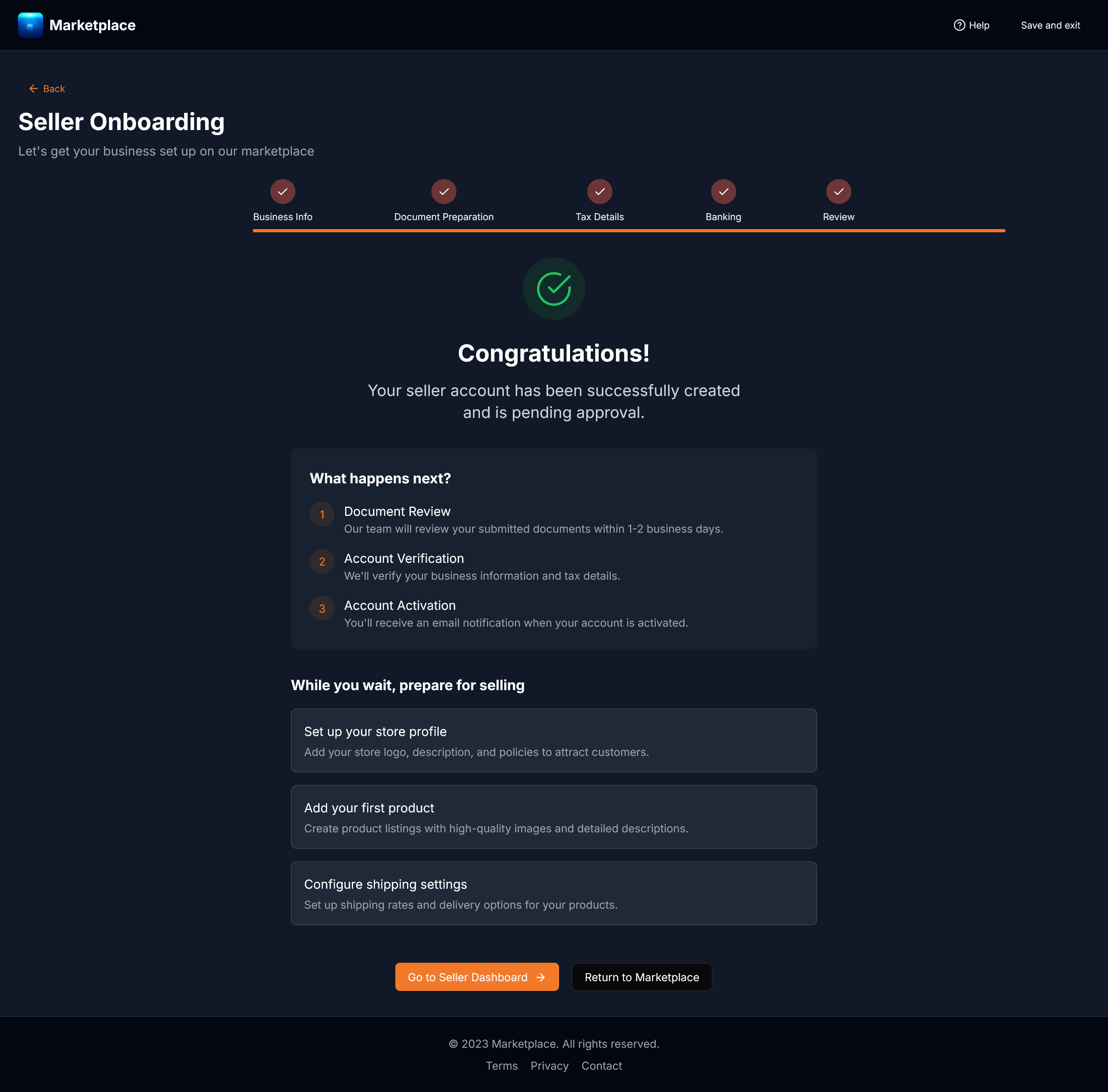
Review and inline edits before launch
A consolidated review ledger displays entity details, confirmed tax jurisdictions, and payout accounts. Merchants can adjust any field directly in place without clicking back through previous steps.
marketplace.com/seller-onboarding/activation
A single summary ledger enables in-place edits before activation, eliminating multi-screen back-navigation.
03 / Sprint Reflection
Testing compliance rules through rapid prototyping.
In a 36-hour sprint, building an interactive prototype made it possible to test branching logic and state transitions without waiting on backend APIs. If taking this to production, the next priority would be observing how sellers handle multi-day document collection in usability sessions.